
Artwin Live continues to evolve. We want to test new features not only internally but also make them available earlier for users who want to get started and share their experiences with us.
That’s why we are introducing Artwin Live Labs. Within Labs, you’ll find features that are still in beta, and you can decide which ones you want to use within your account.
This way, you get earlier access to new possibilities within Artwin Live, while features that are still in development are not immediately enabled for every account.
Discover new features in Artwin Live Labs
Through Labs in the main menu, you gain access to the beta features that are currently available for your account.
Here you can already practice using new components. Which features are available may change as we add new possibilities, further develop existing features, or officially integrate them into Artwin Live.
In this way, a central place is created within Artwin Live for functionalities that we want to test and improve together with users.
Decide for yourself which beta features you use
Not every agency works the same way, and not every new feature is immediately relevant for every user. That’s why you decide which beta features you want to enable within your account.
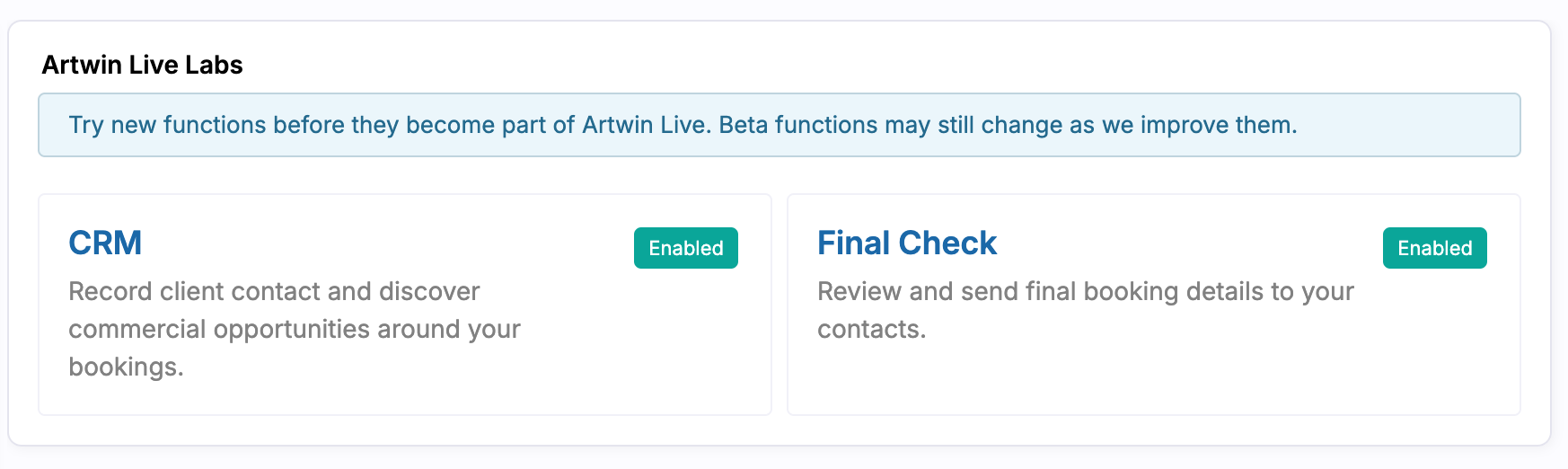
Go to Account settings → Artwin Live Labs for this. Here you can see which beta features are currently available and which have already been enabled.
Select a feature to view more information. Then you can enable the beta feature and save the setting. If you don’t want to use a feature for now, you don’t have to activate it.
Clear what is still in beta
A feature within Artwin Live Labs is not yet a definitive part of Artwin Live. During the beta phase, we can still adjust the functionality, interface, or possibilities while we further test and improve the feature.
That’s why we clearly indicate with every beta feature that it is still in development. Access during the beta phase also does not automatically mean that a feature will be available in every account upon official release.
This way, you can already use new possibilities, while it remains clear which components are still being developed.
CRM: recognizing and following up on sales opportunities
One of the new possibilities within Artwin Live Labs is CRM. This allows you to manage customer contact and commercial opportunities around your bookings all in one place.
You can add your own sales opportunities and follow them up from a sales overview. This way, you keep track of which clients you are in contact with, where a potential new booking stands, and which opportunities still need attention.
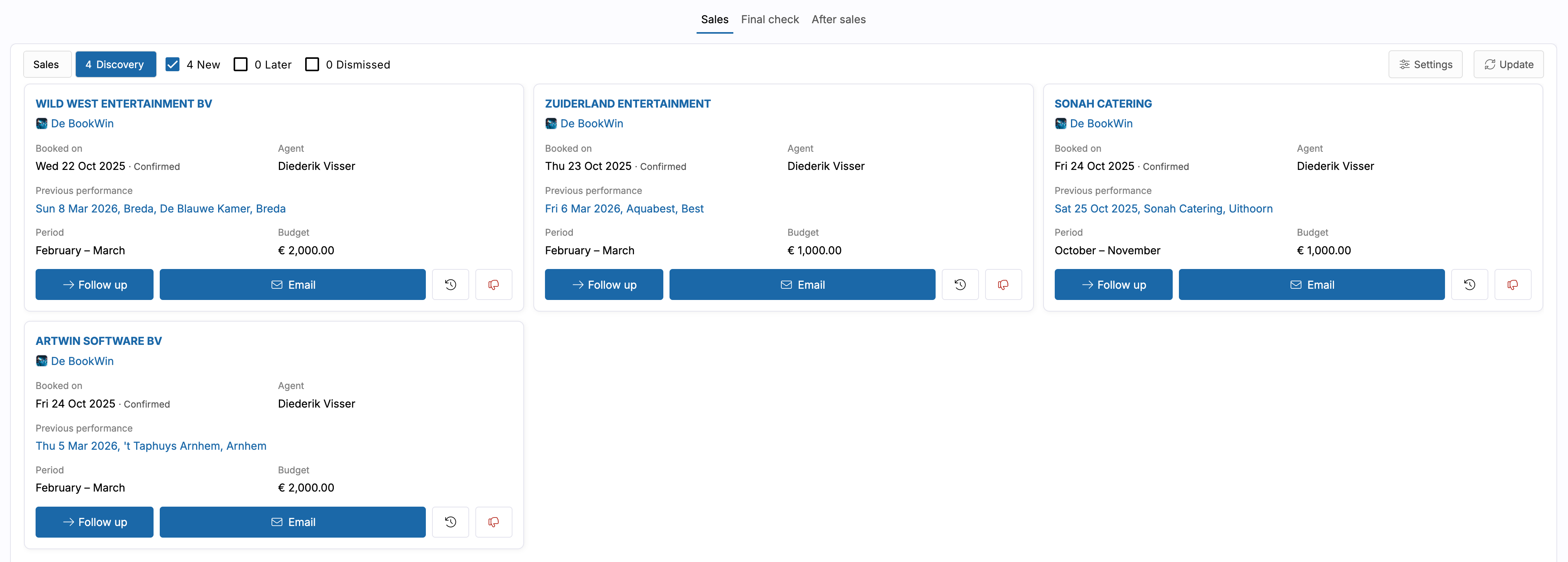
Additionally, CRM Discovery is included. With this, Artwin Live helps you to recognize new commercial opportunities based on previous bookings. Discovery looks at clients who have booked during a similar period previously and brings them back to attention.
For each opportunity, you see information about the previous booking, such as the last performance, the period, and the budget. From Discovery, you can directly contact the client via email or follow up on the opportunity.
This way, you can actively work with the booking history that is already available within Artwin Live in addition to new requests.
Final Check: check booking information for the performance
As the date of a performance approaches, it’s important that the client has the correct final booking information.
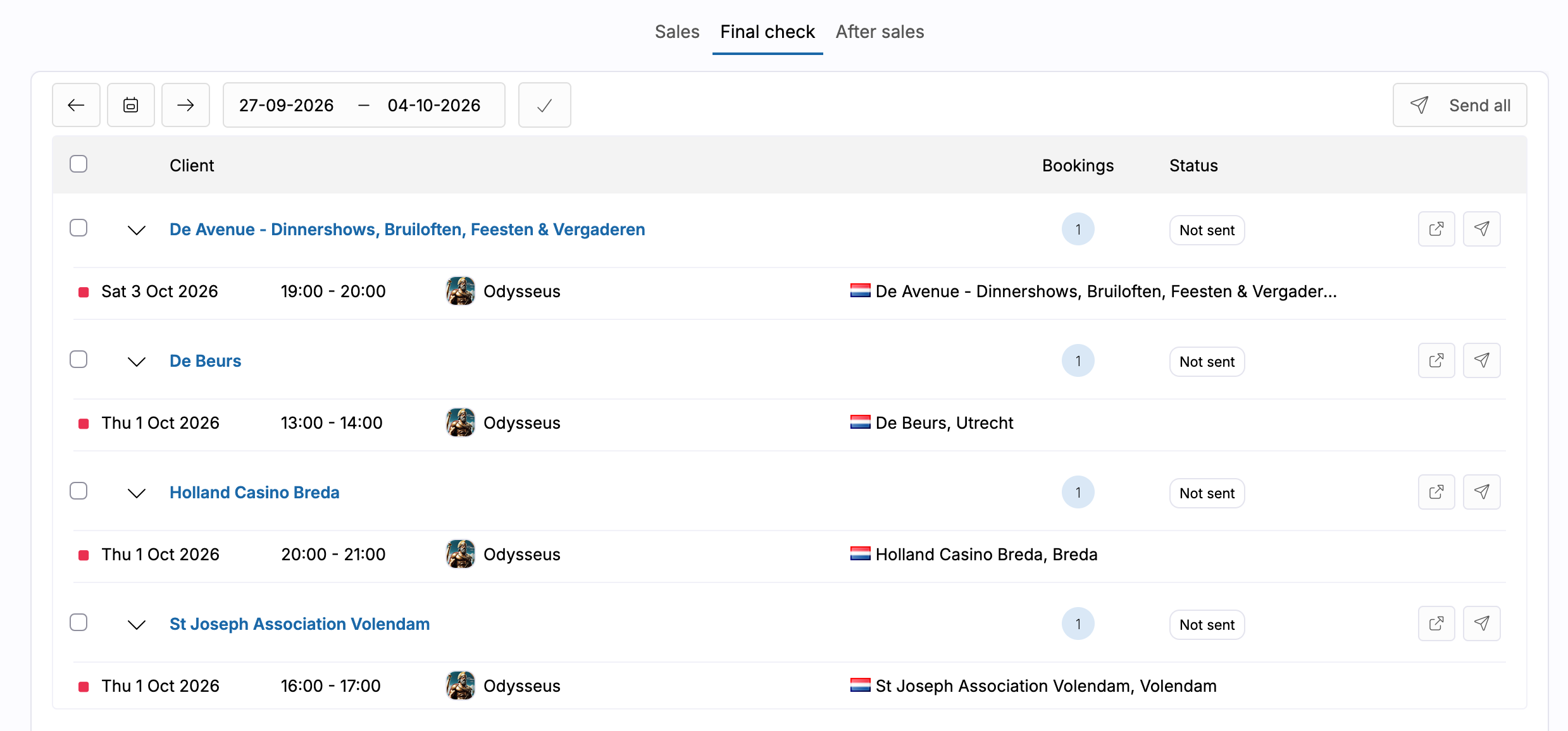
With Final Check, you receive an overview of upcoming bookings and the corresponding clients for each period. You can see which Final Checks have not yet been sent and check the respective bookings before sending the final information to the client.
Do you have multiple bookings ready for review? Then you can select them from the same overview and send them all at once.
This way, you have a single overview for upcoming performances in which you can check which clients have already received the final booking information and which still need to be followed up.
After Sales: follow up with clients after the performance
The relationship with a client does not end once the performance is over. With After Sales, you can easily keep in touch even after a booking.
Artwin Live shows the bookings that have taken place. From the overview, you can send a standard email to the client to ask how the performance went.
This way, you make after sales a regular part of the booking process and logically reconnect with the client at the right moment.
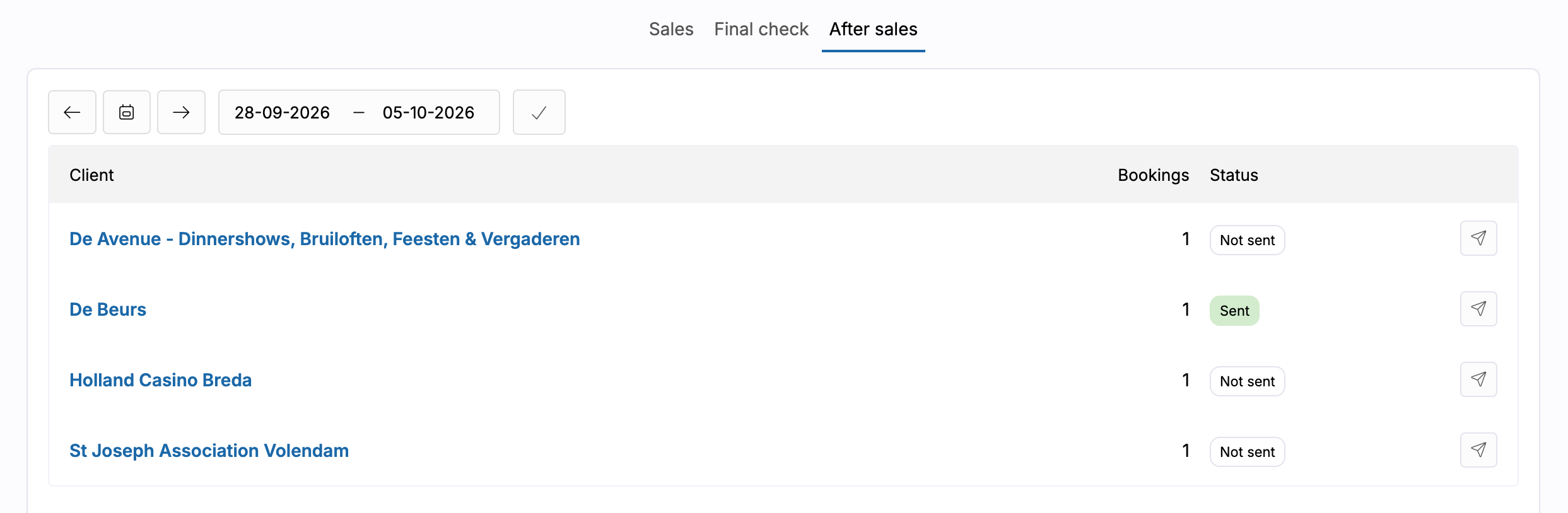
From first sales opportunity to follow-up
CRM, Final Check, and After Sales show what we want to use Artwin Live Labs for. Not just to make separate new functions available, but also to test new ways of working within Artwin Live in practice.
With CRM, you can recognize and follow up on commercial opportunities. Final Check helps with the final check before the performance. With After Sales, you can reconnect with the client after the event.
Because these functions are still in beta, we can further improve them based on usage and feedback before they might become a definitive part of Artwin Live.
With Artwin Live Labs, you thus gain earlier access to new developments, while you decide which beta features you want to use within your account.