
In addition to the improvements to bookings and invoices, we also introduced several new features in Artwin Live in December. These features are primarily aimed at agencies working with multiple artists who want to bring more structure to cost management, artist overviews, and production preparation.
In this article, we take a closer look at these additions and explain how they work together to simplify day-to-day operations.
Purchase invoices: managing incoming costs clearly
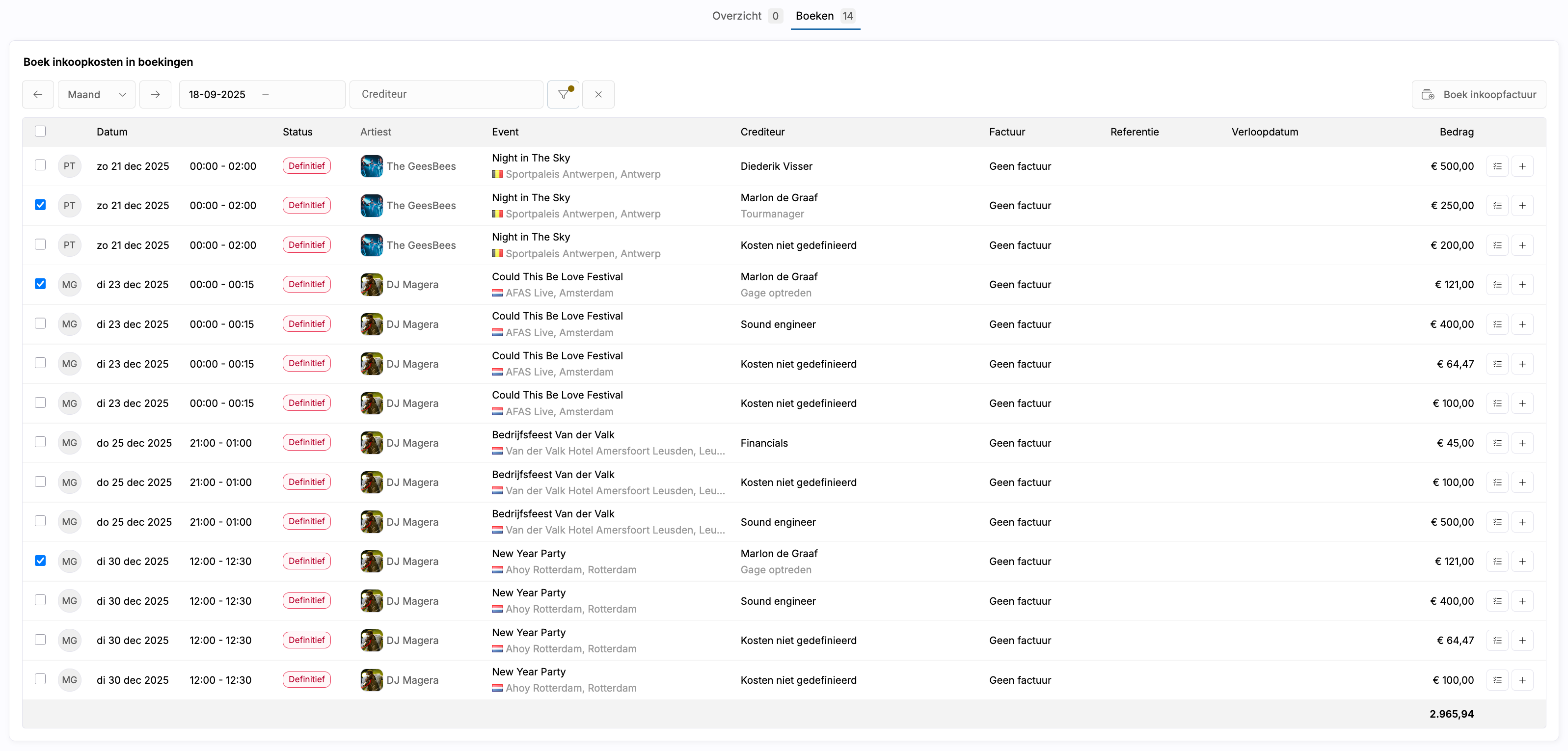
With the introduction of Purchase Invoices, it is now possible to fully process incoming invoices within Artwin Live. This includes invoices from artists, band members, or external suppliers such as lighting and sound companies.
Purchase invoices can be added via the Purchase menu or linked directly from a booking to a specific booking line. The payment status is tracked automatically, giving you clear insight into which costs are still outstanding.
Based on user feedback, this feature was further expanded during the same period with a dedicated Booking page. This page shows all unlinked purchase invoice lines in one clear overview, allowing you to link multiple lines at once to a single purchase invoice. Amounts are automatically transferred, removing the need for manual entry.
Artist Dashboard: a central overview per artist
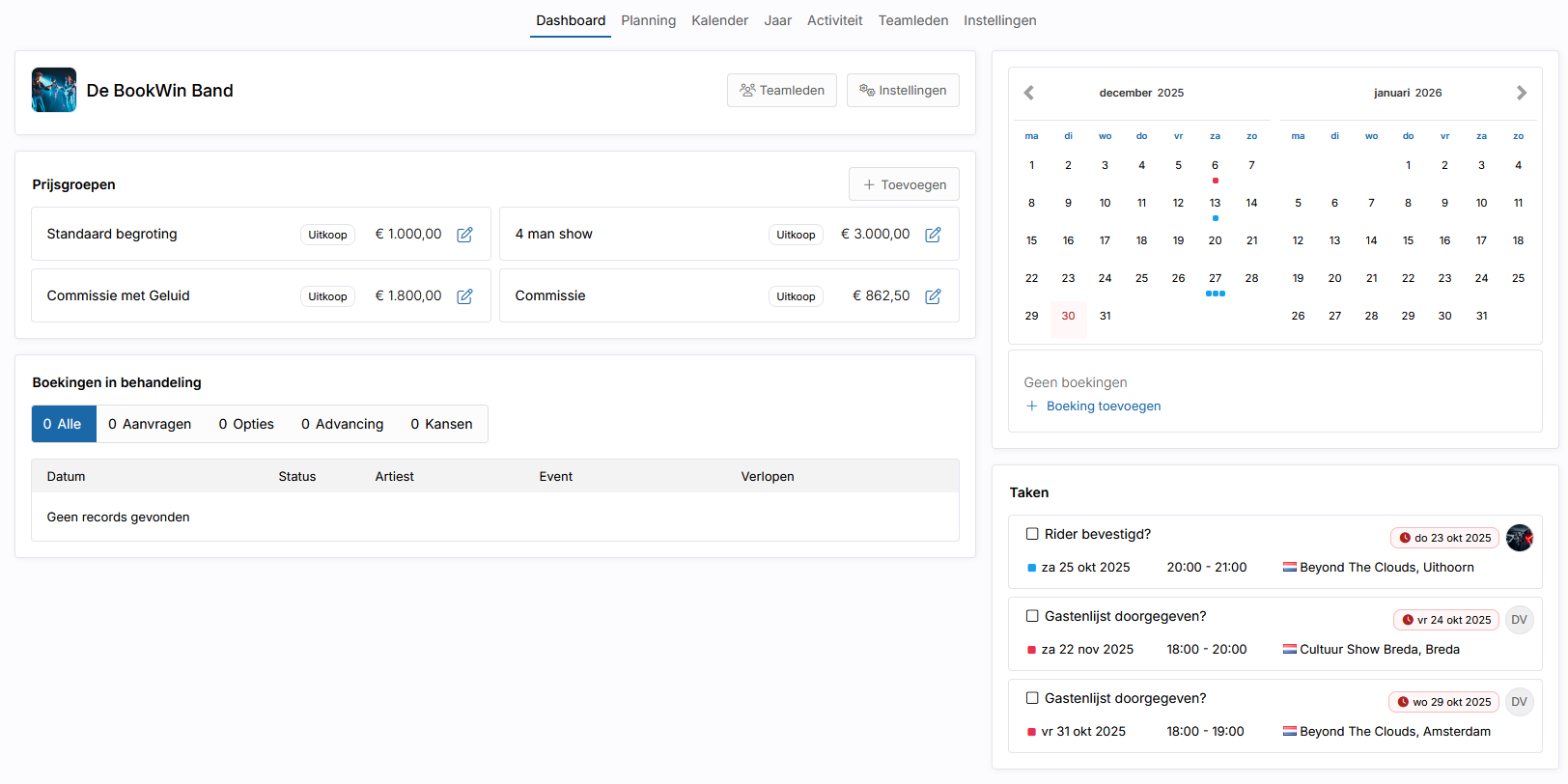
For agencies working with multiple artists, the Artist Dashboard was introduced during the same period. This dashboard brings together all relevant information per artist in a single overview.
Here you can see ongoing requests and options, confirmed bookings, open tasks, and upcoming shows, complemented by standard budgets and pricing structures. The dashboard serves as a central starting point for the day-to-day management of an artist.
Year planning: long-term insight per artist
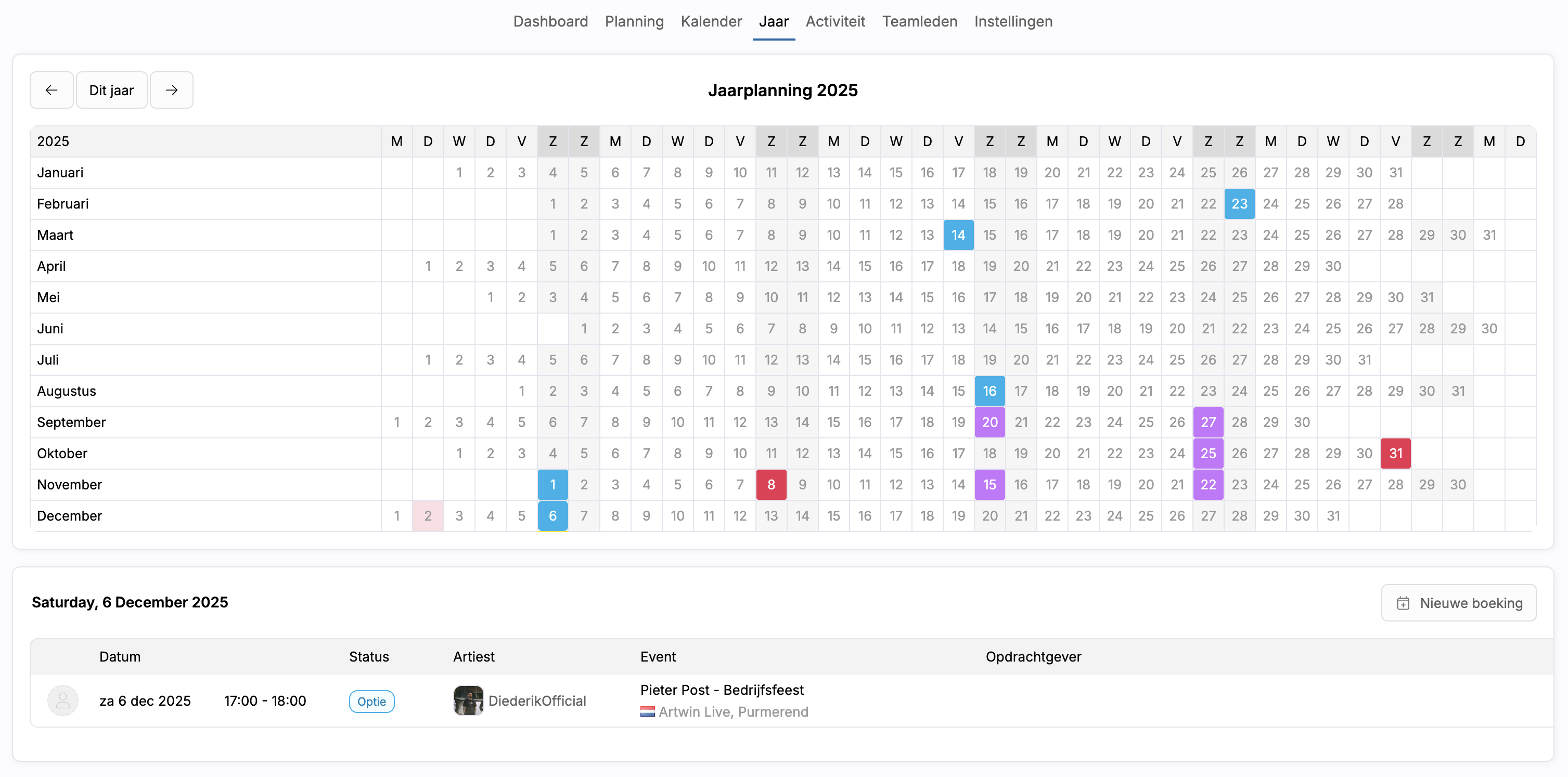
As an addition to the existing day and month planning views, a Year Planning view has also been introduced. This view shows all days of the year per artist, including bookings, appointments, and holidays.
By clicking on a specific day or month, the related bookings are loaded instantly. This makes the Year Planning particularly suitable for seasonal planning and long-term overview.
Advancing (beta): structured collection of production information
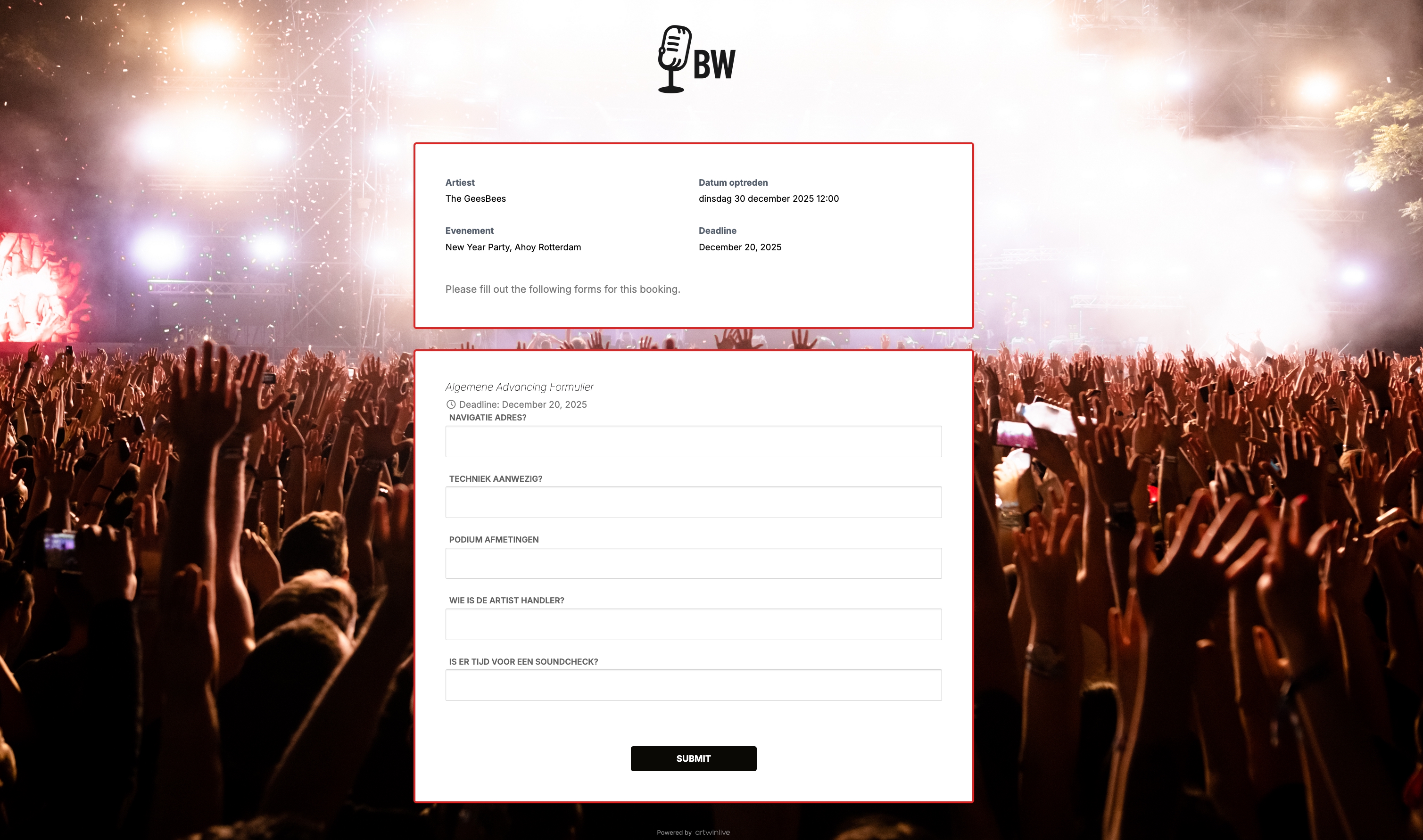
With the introduction of Advancing (beta), collecting production information has become a fixed part of the booking process. From the account settings, you can create and manage your own advancing forms, including custom questions, required fields, and deadlines.
Per artist, you determine which forms apply. These forms then appear automatically within the booking, where you can send them to the client and track progress. Once confirmed, the answers become visible to the artist and are locked for the client.
Finally
Together, these features form an important expansion of Artwin Live as rolled out in December. Rather than a single major release, these are focused improvements and new components that step by step create more clarity, structure, and calm in daily workflows.
We will continue along this path in the new year, with further refinements based on feedback from real-world use.