

When you are organizing multiple bookings for the same client, a challenge often arises. Each booking has its own schedule, contracts, riders, advancing, and financial arrangements, while the client often sees the whole as one project or event.
This often means multiple contracts, separate invoices, and various documents that need to be manually collected and sent.
With Events (Beta), Artwin Live brings these components together.
By bundling multiple bookings within one event, a central overview is created for contracts, advancing, finances, and production. This way you work from one event while each booking retains its own workflow and administration.
One event, multiple bookings
An event in Artwin Live is a collection of linked bookings for the same client.
These bookings can occur on different dates, locations, and times. Thus, you can manage not only multiple artists at one event but also entire event series, multi-day productions, or recurring assignments from one central overview.
This allows you to:
- Bundle multiple bookings within one event
- Manage multi-day events from one workflow
- Combine recurring assignments for the same client
- Send one contract for multiple bookings
- Have riders approved per booking
- Manage production costs centrally
- Send one consolidated invoice
- Combine advancing for multiple bookings
The result is more clarity for both the organization and the client.
Create an event from an existing booking
The fastest way to create an event is from an existing booking.
Open the booking that should become part of the event and click on the three dots next to the booking's status. Then choose 'Create event'.
The selected booking immediately forms the basis of the new event.
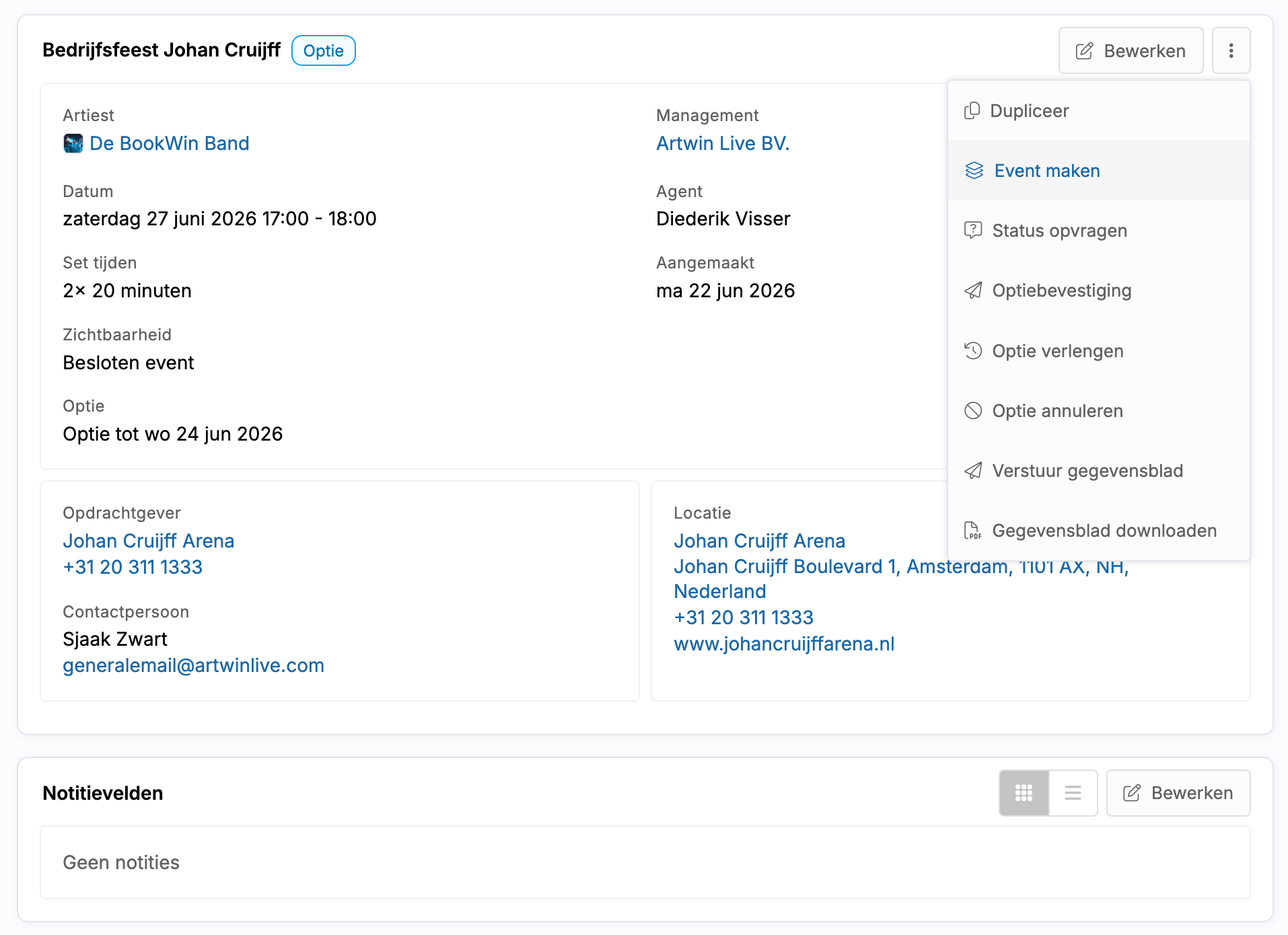
Create a new event
You can also create a new event directly from the Events overview.
During the creation of the event, you can immediately add the first booking. This booking will then form the basis of the event.
This is handy when you know in advance that multiple bookings will be part of the same project or event.
Add bookings to an event
Within the event, you will see an overview of all linked bookings.
From here you can:
- Add new bookings
- Link existing bookings
- View the status of each booking
- Manage the linked artists
Only bookings from the same client will be displayed and can be linked to the event. These bookings do not need to occur on the same date or location.
For example, you can manage a multi-day event, a series of company parties, or multiple performances for the same client within one central event.
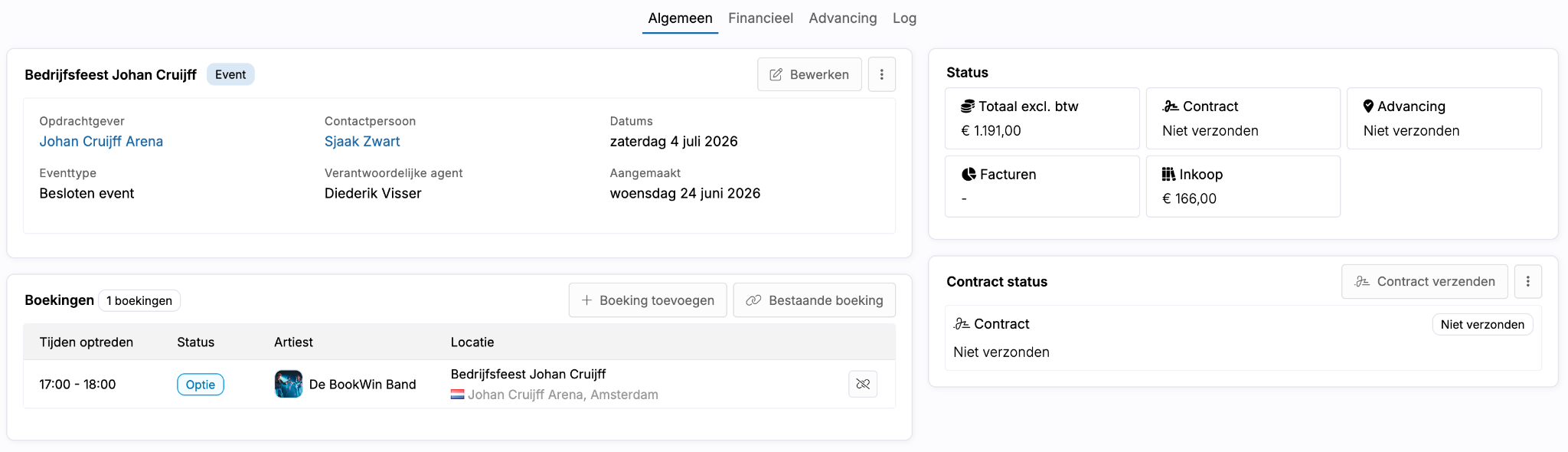
The general overview
The general overview forms the central dashboard of the event.
Here you can see among other things:
- Client and contact person
- Responsible agent
- Event date
- Contract status
- Invoicing
- Purchases
- Advancing
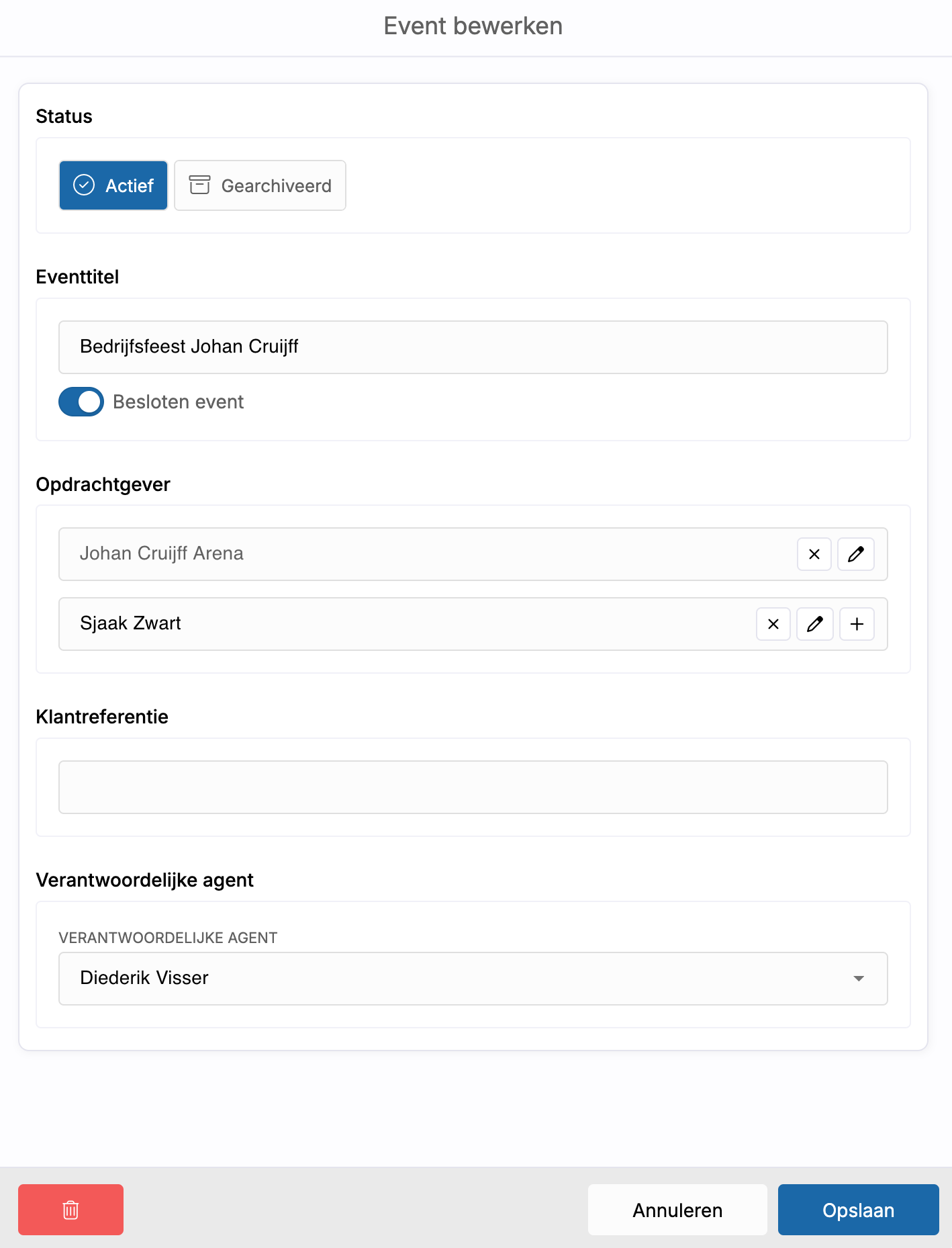
From this screen, you can also adjust the event settings, link additional bookings, send contracts, and manage purchase contracts or booking confirmations for production partners.
One contract for multiple bookings
An important advantage of Events is sending one contract for the entire event.
Instead of sending multiple separate contracts, the client receives one framework contract that includes all linked bookings.
The riders of the individual bookings remain linked to the respective artists and can be viewed and approved separately within the contract flow.
This provides a more professional experience for the client and prevents double work for the organization.
Financial overview of the event
On the financial page, the budgets of all linked bookings are automatically compiled.
Here you can immediately see:
- Artist fees
- Commissions
- BUMA
- Production costs
- Total sales value
- Total margin
- This results in one financial overview of the entire event.
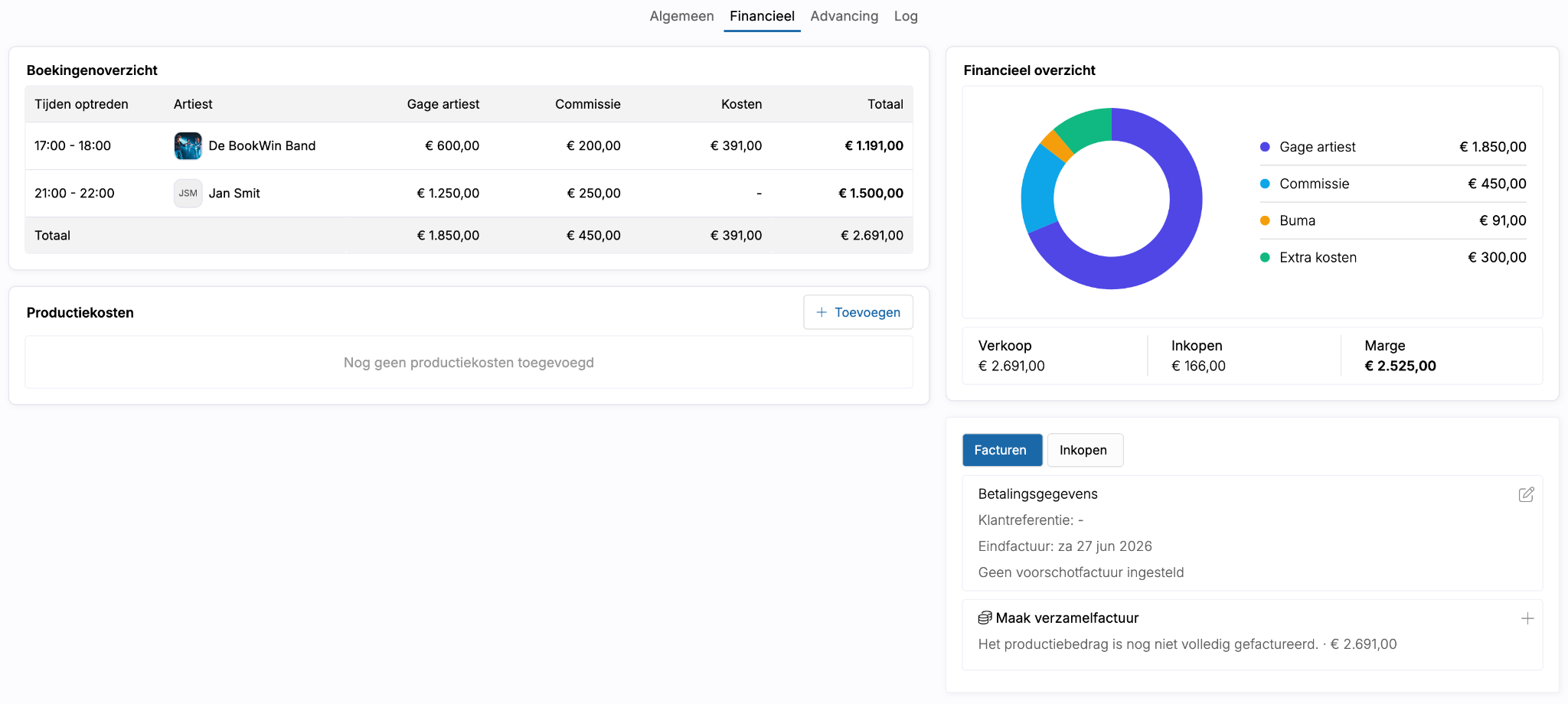
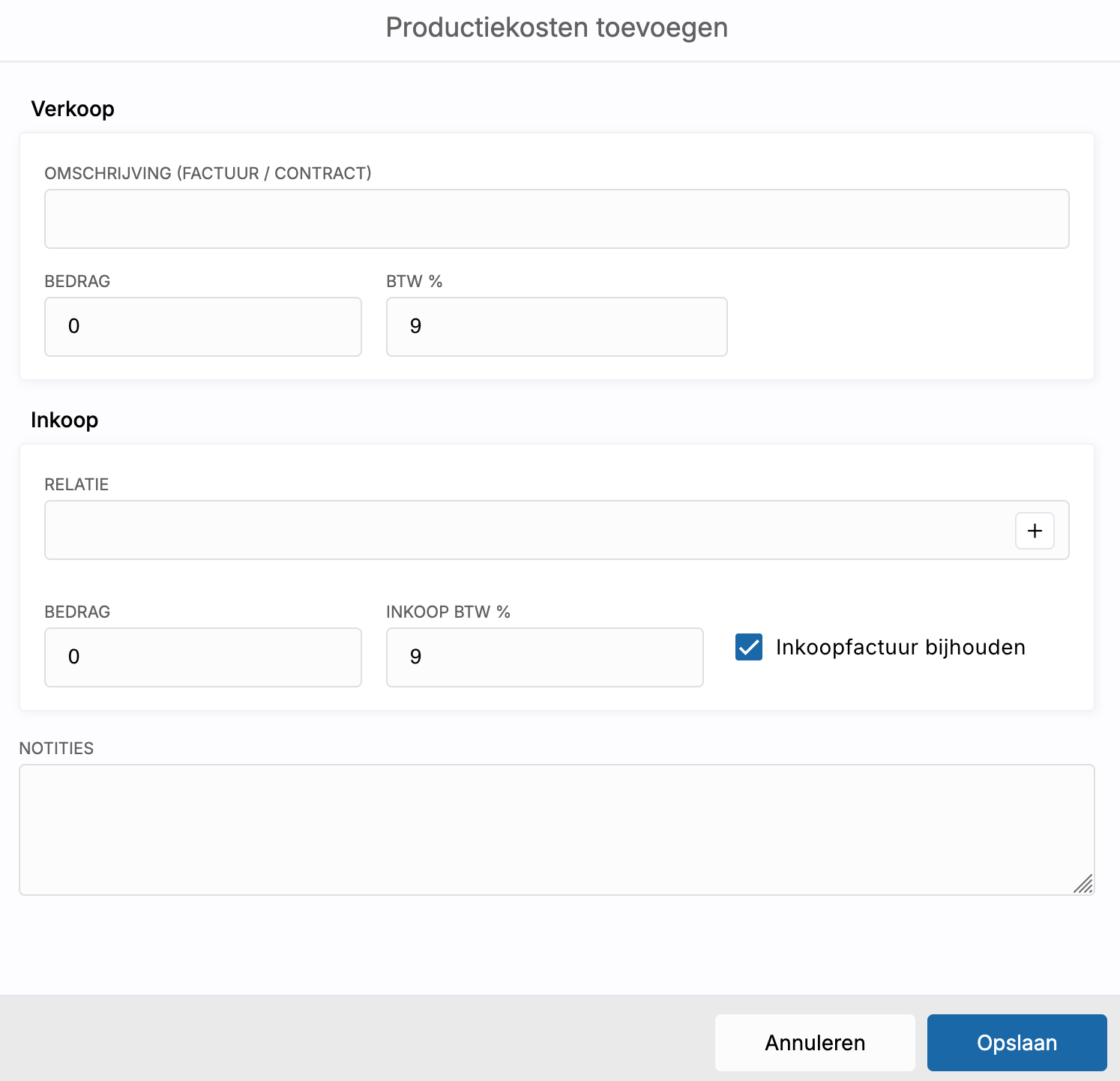
Add production costs
In addition to the data from the individual bookings, you can also add event-specific costs.
Think for example of:
- Technology
- Lighting and sound
- Catering
- Hospitality
- Backline
- Production support
- Transport
- Other event costs
These costs will be included in the total budget of the event and can be included in contracts and invoicing as desired.
In addition, you can choose to directly link a purchasing relationship so that the financial settlement of these costs can also be managed within Artwin Live.
Consolidated invoices for the entire event
Because all bookings are part of the same event, you can also send one consolidated invoice to the client.
This means the client does not have to process multiple invoices for different artists or parts of the same project.
All financial data is centrally managed from the event.
Advancing at event level
On the advancing page, you will find the linked advancing information of all bookings within the event.
This information is automatically included in the contract flow and remains linked to the respective artists and bookings.
As a result, you have all relevant production and event information from one central place.
The same contract flow, but for multiple bookings
After creating the event, the further handling works the same way as the regular Contract Flow within Artwin Live.
Contracts are sent from the event, riders are linked to the correct bookings, advancing is automatically included, and the client can handle all documents from one central process.
From the event, you can also send consolidated invoices directly and include production costs in the contract and financial handling.
This creates one clear workflow for events, productions, and assignments with multiple bookings, without separate contracts, individual invoices, or fragmented communication.
More clarity for complex productions
Events (Beta) makes it possible to manage multiple bookings as if they are part of one production. Interested? Send us a message via chat or at support@artwinlive.com so we can enable the feature for you.
By bringing together contracts, finances, advancing, and production costs within one event, more clarity is created for both booking agencies and clients.
This way you manage complete productions from one central workflow while each booking retains its own schedule, administration, and history.